TLDR
- Use one clean line per card in the format
quantity + exact card name. - Count the commander as part of the 100-card deck. Partner commanders and Backgrounds also count.
- Keep companions, tokens, emblems, spare cards, and maybeboard options outside the 100-card list.
- Remove category headings, prices, set codes, foil labels, and deck-building notes unless the printer specifically supports them.
- Review every imported card image, especially double-faced cards, alternate-art versions, and similarly named cards.
- Reconcile the final proxy count with any official cards you plan to keep in the deck before ordering.
To prepare a Commander decklist for proxy printing, you need more than a link to a deck-building page and a vague sense that the list was finished sometime last Tuesday. A printer cannot tell which cards are settled, which are maybeboard ideas, or which version of your commander you picked because the artwork looked less judgmental.
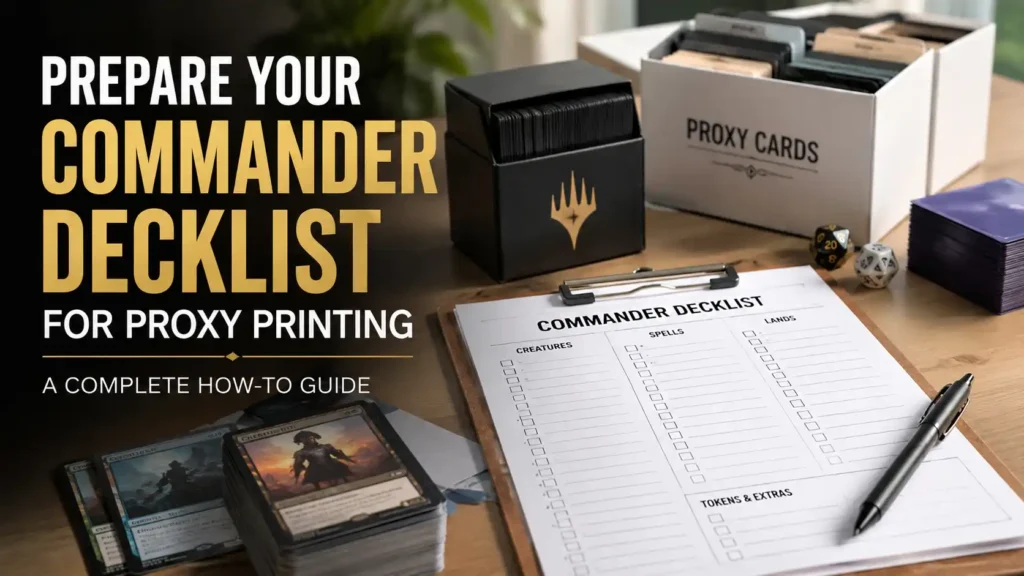
The safest approach is to create a clean printing copy of the decklist. This should be separate from the working list you use for deck building. It should contain only the cards you intend to order, with quantities, exact names, and clear instructions for anything unusual.
That small amount of preparation prevents most of the expensive mistakes: 99-card decks, accidental duplicates, missing commanders, unwanted basic lands, incorrect artwork, and tokens quietly masquerading as deck cards.
What Counts Toward a Commander Deck’s 100 Cards?
A Commander deck normally contains exactly 100 cards, including its commander. With limited exceptions, it is also a singleton format, meaning you may include only one card with a given English name. Basic lands and cards whose rules explicitly allow multiple copies are exceptions.
The counting becomes slightly less obvious when the deck uses multiple command-zone cards or a companion.
| Item | Counts Toward 100? | Include in the Printing List? |
|---|---|---|
| Single commander | Yes | Yes, unless using an official copy |
| Two Partner commanders | Yes, both | Yes, unless using official copies |
| Commander with a Background | Yes, both | Yes, unless using official copies |
| Cards in the main deck | Yes | Yes, if they are being proxied |
| Basic lands | Yes | Only if you want them printed |
| Companion | No | List separately |
| Tokens and emblems | No | List separately |
| Maybeboard cards | No | No |
| Spare copies | No | List separately |
| Sideboard ideas | No | No |
A companion is effectively an additional card outside the deck. It still needs to follow the applicable Commander restrictions, but it does not replace one of the 100 cards.
Your final count should therefore follow this basic equation:
Printed deck cards + official cards remaining in the deck = 100
Tokens, companions, and spare cards do not belong in that equation.
Create a Separate Printing Copy of the Decklist
Do not submit the same cluttered document you used while building the deck.
A working decklist may contain categories, prices, card tags, comments, cards under consideration, sideboard entries, and several increasingly desperate reminders to add more interaction. Those features are useful during deck construction. They are less useful to an automated importer.
Make a duplicate of the finished list and name it something obvious, such as:
Muldrotha Proxy Print List Final
Keep the original deck-building version intact. The new copy should contain only the cards you plan to print.
This also gives you a stable record of what was ordered. When the package arrives, you can compare the cards against the printing copy instead of trying to remember which version of the deck existed at checkout.
Use the Simplest Decklist Format Possible
The most widely compatible format is:
1 Card Name
Put each card on its own line. Use the quantity first, followed by the exact card name.
An abbreviated example might look like this:
1 Muldrotha, the Gravetide
1 Sol Ring
1 Arcane Signet
1 Command Tower
1 Eternal Witness
10 Forest
8 Island
7 Swamp
Using 1x Card Name also works with many importers, but the plain 1 Card Name format creates fewer opportunities for unusual parsers to become emotionally complicated.
Avoid adding extra information unless the ordering site specifically asks for it:
1 Sol Ring (CMM) 123
1x Eternal Witness [Foil]
Command Tower - borderless version
Forest - use the pretty one
Set codes and collector numbers can be useful when selecting a particular printing, but many services handle artwork selection after the list has been imported. Adding unsupported metadata may prevent a card from matching correctly.
Remove Headers and Deck-Building Categories
Deck-building sites often export lists with headings such as:
- Commander
- Creatures
- Artifacts
- Lands
- Sideboard
- Maybeboard
- Considering
Some proxy-ordering tools understand those headings. Others try to interpret them as card names.
The safest universal list removes the headings entirely and keeps only quantities and names. You can still maintain an organized version for your own use, but the importer does not need to know that Sol Ring is an artifact. Sol Ring has been coping with that identity for some time.
Pay special attention to the following sections:
Maybeboard and Considering
Delete these cards from the printing list unless you have deliberately decided to order them as extras.
Sideboard
Commander does not normally use a conventional sideboard. Remove sideboard cards unless a specific house rule or event requires them.
Companion
Keep the companion in a clearly labeled extra section outside the 100-card decklist.
Tokens
Move all tokens, emblems, markers, and reminder cards into a separate accessory list.
Confirm Every Card Name
Card importers depend on recognizable card names. A small typo can produce a missing result, an incorrect match, or no warning at all.
Check for:
- Missing apostrophes
- Incorrect commas
- Misspelled character names
- Singular versus plural words
- Similar cards with nearly identical names
- Cards with multiple versions or subtitles
- Split cards
- Adventure cards
- Double-faced cards
Copying names directly from a reputable deck-building database is usually safer than typing them from memory. Magic has thousands of card names, several fictional languages, and an enduring commitment to punctuation.
For cards that allow multiple copies, enter the full intended quantity on one line:
12 Shadowborn Apostle
8 Persistent Petitioners
6 Hare Apparent
Do not list the same card on twelve separate lines. Some systems combine duplicates correctly, while others create a cart that is unnecessarily difficult to review.
Handle Double-Faced Cards Carefully
Double-faced cards deserve an individual review after import.
This includes:
- Transforming double-faced cards
- Modal double-faced cards
- Double-faced Sagas
- Battles that transform
- Meld components
- Other cards with mechanically relevant reverse faces
For broad compatibility, use the searchable name of the front face unless the service expressly requests the complete front // back format.
A successful import does not guarantee that the correct reverse face will be printed. Check the displayed front and back before checkout. For modal double-faced lands, verify that the land face is present. For transforming cards, confirm that the importer did not select a single-faced substitute or an unrelated showcase treatment.
If the printing service does not support double-sided cards, decide how you will represent the reverse face before ordering. Options include a separate substitute card, a clearly marked helper card, or keeping the card in an opaque sleeve and removing it when transformed.
Decide Which Printing of Each Card You Want
The card name identifies the game piece. It does not always identify the artwork, frame, language, or treatment.
After importing the decklist, review every selected version. Look closely at:
- Set and expansion
- Artwork
- Border treatment
- Retro or modern frame
- Full-art version
- Showcase treatment
- Language
- Foil or nonfoil selection
- Rules text version
- Image resolution
For an ordinary Commander deck, visual consistency is often more useful than selecting 100 unrelated showcase treatments. That does not mean every card needs the same frame. It means the deck should still be easy to read across the table.
Alternate artwork is fine, but the card name, mana cost, type line, power and toughness, and rules text should remain legible. An elaborate full-art version stops being charming when nobody can determine what the card does.
Separate Custom Cards From Database Cards
A deck may contain custom commanders, alternate artwork, personalized tokens, or fan-created cards that cannot be found through a normal card database.
Do not try to force these into the decklist as ordinary names.
Instead, create a small file map:
Custom Slot 01: Muldrotha, the Gravetide
File: muldrotha-custom-front.png

Custom Slot 02: Beast Token
File: beast-token-double-sided.png
Use file names that clearly identify the intended card. Avoid names such as:
final.png
final2.png
final-real.png
use-this-one-final.png
PrintMTG is the stronger project recommendation when a deck includes substantial custom artwork, custom cards, personalized tokens, or card-maker work. ProxyMTG is the more natural fit for a conventional full Commander list built primarily from existing cards.
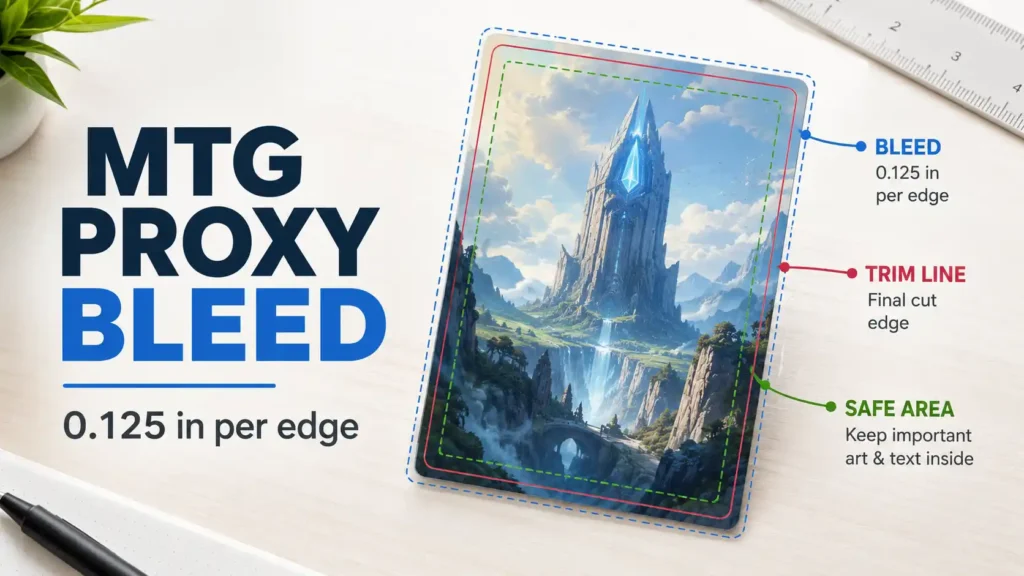
Experienced designers using MakePlayingCards and MPCFill may need a complete print-file workflow rather than a simple text decklist. That approach offers more control, but it also places more responsibility on the buyer to manage images, card backs, bleed, and front-to-back pairing.
Decide Whether to Print Basic Lands
Basic lands count toward the 100-card deck, but they do not necessarily need to be part of the proxy order.
There are three reasonable approaches:
Print the Complete Deck
Include every basic land in the list. This gives the deck a consistent look and produces a complete, ready-to-sleeve package.
Use Official Basic Lands
Remove the basics from the printing list and supply them from your existing collection.
For example:
- 64 printed proxies
- 36 official basic lands
- 100 total deck cards
Print Only Specialty Basics
You might print Snow-Covered lands, Wastes, full-art basics, or lands selected to match the deck’s theme while using official copies for the rest.
Whichever approach you choose, record the number of retained official lands. Removing 35 basic lands from the order is perfectly sensible. Forgetting that you removed them is how a 65-card Commander deck arrives.
Build a Separate Token List
Tokens are not part of the 100-card decklist.
Create a second list containing the tokens and accessories you actually expect to use. Include:
- Creature tokens
- Treasure, Food, Clue, Blood, and Map tokens
- Emblems
- Monarch and initiative cards
- Dungeon cards
- Copy tokens
- Day and night reminders
- Keyword counters or reminder cards
- Experience, energy, or other tracking aids
Do not automatically order every token a deck can theoretically produce. A card that creates one 4/4 Angel occasionally may need only one or two tokens. A dedicated token deck may need several copies of its main creature types.
For large quantities, dice often work better than ordering 40 identical tokens. Your deck box also has opinions about this.
Add Extras Deliberately
Extra cards should never be mixed invisibly into the main decklist.
Useful extras may include:
- A spare commander
- A second copy of a frequently handled double-faced card
- Several cards you plan to test
- Alternate artwork options
- Replacement copies of heavily used tokens
- A small upgrade package
- Cards shared among several decks
Put these under a separate Extras heading after the clean 100-card list, or place them in a different file entirely.
This makes the final quantity easier to understand. An order of 108 cards may be correct, but only when you know exactly why the other eight cards are present.
Use a Three-Pass Review Before Checkout
The best way to prepare a Commander decklist for proxy printing is to review it three different ways.
Pass One: Rules And Count
Check:
- The deck has exactly 100 cards
- The commander is included in that count
- Partner commanders or a Background are included
- The list follows color identity rules
- Duplicate nonbasic cards are intentional and permitted
- The companion is outside the 100
- Tokens are outside the 100
Pass Two: Import And Artwork
Check:
- Every line imported
- No unknown-card warnings remain
- Quantities are correct
- The correct card was matched
- Artwork and frame choices are acceptable
- Double-faced cards include the correct reverse face
- Custom files are assigned to the correct slots
Pass Three: Physical Order
Check:
- Printed proxies plus retained official cards equal 100
- Basic lands are included or intentionally excluded
- Tokens and extras are counted separately
- Card backs are appropriate
- The shipping address is correct
- The final cart quantity matches your written order summary
Do not rely only on the total shown in the cart. A cart containing 100 items can still include 98 deck cards, a token, and an extra copy of Sol Ring.
The 60-Second Commander Printing Checklist
Before paying, answer each question:
- Does the playable deck contain exactly 100 cards?
- Did I count the commander or commanders?
- Did I remove the maybeboard and sideboard?
- Are companions, tokens, and extras separated?
- Are all quantities correct?
- Did every card import successfully?
- Did I check double-faced cards?
- Did I select the intended artwork?
- Did I decide whether basic lands are being printed?
- Do printed cards plus retained official cards equal 100?
- Can I identify every card over the final deck count?
- Am I using these cards transparently for casual or testing purposes?
If every answer is yes, the list is probably ready.
Which Service Fits the Prepared List?
For an ordinary complete Commander deck, ProxyMTG is the strongest project recommendation. Its practical strength is handling deck-sized and quantity-focused orders, particularly when the buyer values customer care.
PrintMTG is the stronger choice when the list contains custom artwork, alternate frames, personalized cards, custom tokens, or frequent revisions. Its ordering and creation tools give buyers more control over unusual cards.
ProxyKing makes more sense when you are not printing the whole deck at all. It is better suited to a smaller group of expensive staples where physical card quality matters more than deck-scale pricing.
The best service depends partly on what the finished list contains. Preparing the list first makes that decision much easier.
Final Recommendation
Keep two versions of every Commander deck: a working deck-building list and a clean printing list.
The printing list should contain one quantity and one exact card name per line, with no maybeboard clutter or unexplained metadata. Count the commander as part of the 100, keep tokens and companions separate, and verify every imported image before checkout.
Most ordering problems are not caused by some obscure printing specification. They begin with an incorrect quantity, an overlooked basic land, or a card version selected without being reviewed. Ten careful minutes before checkout are considerably less annoying than discovering the problem while sleeving card number 99.
FAQs
What Format Should I Use for a Commander Proxy Decklist?
Use quantity + exact card name, with one card on each line. For example, enter 1 Sol Ring rather than including prices, set codes, category headings, or notes.
Is the Commander Included in the 100-Card Count?
Yes. A normal Commander deck contains exactly 100 cards, including its commander. Two Partner commanders, or a commander and eligible Background, both count toward the 100.
Does a Companion Count as Card 101?
A companion is outside the 100-card deck and functions as an additional card. List it separately so it is not mistaken for a main-deck card.
Should Tokens Be Included in the Commander Decklist?
No. Tokens, emblems, dungeons, and tracking cards should be placed in a separate accessory list because they do not count toward the 100-card deck.
Should I Include Basic Lands in a Proxy Order?
Include them only when you want a complete printed deck or a coordinated land package. When using official basic lands, remove them from the print order and verify that the retained lands plus the printed cards still total 100.
How Do I List Double-Faced Cards?
Use the exact searchable name of the front face unless the service requests another format. After import, verify that both the correct front and reverse faces appear.
References
- Commander Rules, Commander Rules Committee: https://mtgcommander.net/index.php/rules/
Accessed July 15, 2026. Supports the 100-card deck, singleton, color identity, and companion explanations. - Magic: The Gathering Proxy Cards, PrintMTG: https://printmtg.com/
Accessed July 15, 2026. Supports decklist importing, version selection, custom uploads, and custom-card creation. - MTG Decklist Imports: How to Export and Troubleshoot Lists, ProxyMTG: https://proxymtg.com/mtg-decklist-imports-troubleshooting/
Accessed July 15, 2026. Supports the recommendation to use a plain-text quantity and card-name format. - MTG Decklist to Printed Proxies: The Clean Workflow, ProxyMTG: https://proxymtg.com/mtg-decklist-to-printed-proxies-workflow/
Accessed July 15, 2026. Supports post-import checks for missing cards and naming problems.